
Omni Platform Redesign
Redesigning a complex enterprise platform used by global marketing teams
Scope
Product Design Lead
Role
UX strategy, Product design
Platform
Web
The Problem
Over time, Omni evolved into a collection of separate tools built by different teams. While each application served an important function, the overall experience felt fragmented. As the platform continued to grow, this complexity created friction for teams building and managing campaigns.
Users faced several challenges:
Inconsistent navigation and interaction patterns across applications
Difficulty finding relevant insights quickly
Frequent context-switching between tools to complete tasks
This fragmentation increased cognitive load for users and slowed down key workflows such as campaign planning and performance analysis.
The Opportunity
The goal of the redesign was to simplify the platform experience and make workflows easier to navigate while supporting the scale and flexibility required by enterprise users. How might we create a more unified and intelligent Omni experience that helps marketing teams move from data to action more efficiently?
Our design goals were to:
Simplify navigation
Create consistent UI patterns across products
Surface insights in context
Introduce AI-driven features that support workflows and decision-making
Research
Before exploring solutions, I focused on understanding how the platform actually functioned.
I mapped the relationships between products, workflows, and data across the ecosystem. This helped reveal how users moved through the platform and where friction accumulated.
To understand the user needs and pain points, our team conducted several discovery activities:
Stakeholder/ user interviews
UX audits of existing Omni applications
Competitive analysis of marketing platforms
Insights
This exercise showed that many common workflows required navigating across multiple tools, even for simple tasks.
The platform’s structure reflected how the system had been built by leadership rather than for how users actually approached their work.
This insight became the foundation for the redesign. To connect the workflow and reduce the cognitive load of navigating in and out of applications.
Key Insights
Fragmented workflows increase cognitive load
Users frequently had to move between multiple Omni tools to complete a single task, such as planning a campaign or analyzing performance.
Because each tool had different navigation patterns and layouts, users spent unnecessary time reorienting themselves rather than focusing on decision-making.
Opportunity: Create a unified navigation structure and consistent interaction patterns across the platform.
Users needed faster
paths from data to action
Marketing teams often had to interpret data and then switch to another tool to take action, such as adjusting a campaign or reallocating budget.
This disconnect slowed decision-making and reduced efficiency.
Opportunity: Design workflows that connect insights directly to actions within the same interface.
Speed + efficiency were critical to adoption
Media planners and analysts often worked under tight deadlines. Small inefficiencies such as extra clicks or confusing navigation had a large impact on productivity.
Opportunity: Simplify workflows and reduce the number of steps required to complete key tasks. Introduce AI to support a more efficient workflow.
Explorations
This approach allowed users to customize dashboards with widgets and data panels with the goal of them being able create their own workspace.
While flexible, technical feasibility prevented user level permissions so layouts were shared by client. Early testing showed that it made the platform harder to understand for new users.
Modular dashboards
This model organized navigation around the deliverables within the ecosystem.
Although it aligned with the existing platform structure, it forced users to frequently switch contexts between tools creating higher cognitive load and at times, loss of work.
Asset-based navigation
The final approach reorganized the platform around the way teams actually worked.
Navigation was structured around key workflows of individual personas.
This approach significantly simplified the experience during usability testing.
Workflow-based navigation
The Solution
The redesigned platform introduced a workflow-based navigation structure that aligned the product architecture with real user behavior.
Key Features:
Simplified navigation
A consistent navigation system was introduced across all Omni applications to allow users to move seamlessly between tools and workflows.
Omni Assist (AI assistant)
A generative AI assistant enables users to ask questions in natural language and receive contextual insights and recommendations.
Improved feature discoverability
Contextual guidance, clearer labeling, and progressive disclosure help users easily find and use platform capabilities.
Consistent interaction patterns
Reusable components and standardized behaviors create a predictable and intuitive experience across all Omni tools.
Simplified navigation and a focus on AI
guided workflows.
Guided AI workflow task completion.
Cleaner surfacing of capabilities.
Reimagined design system
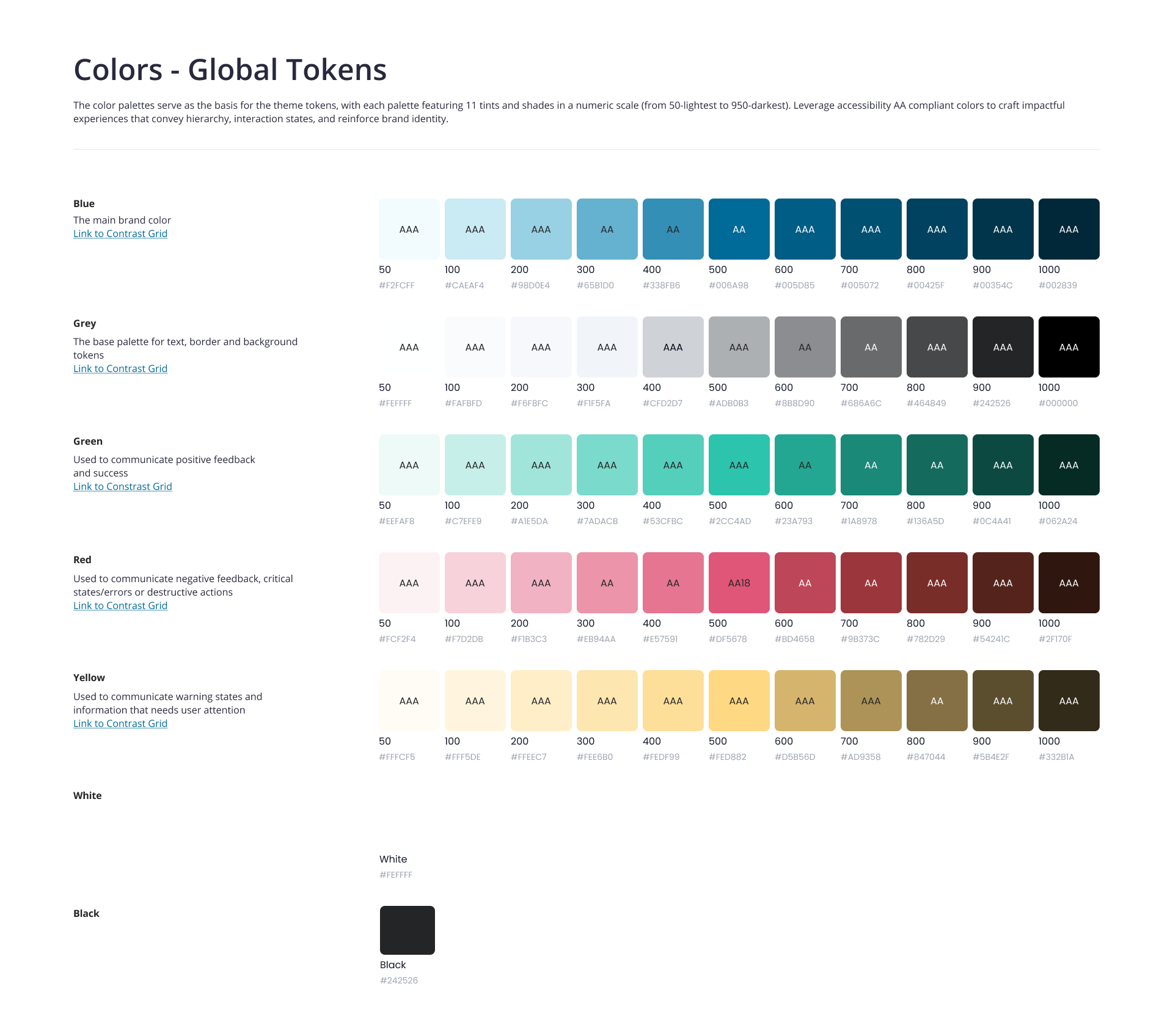
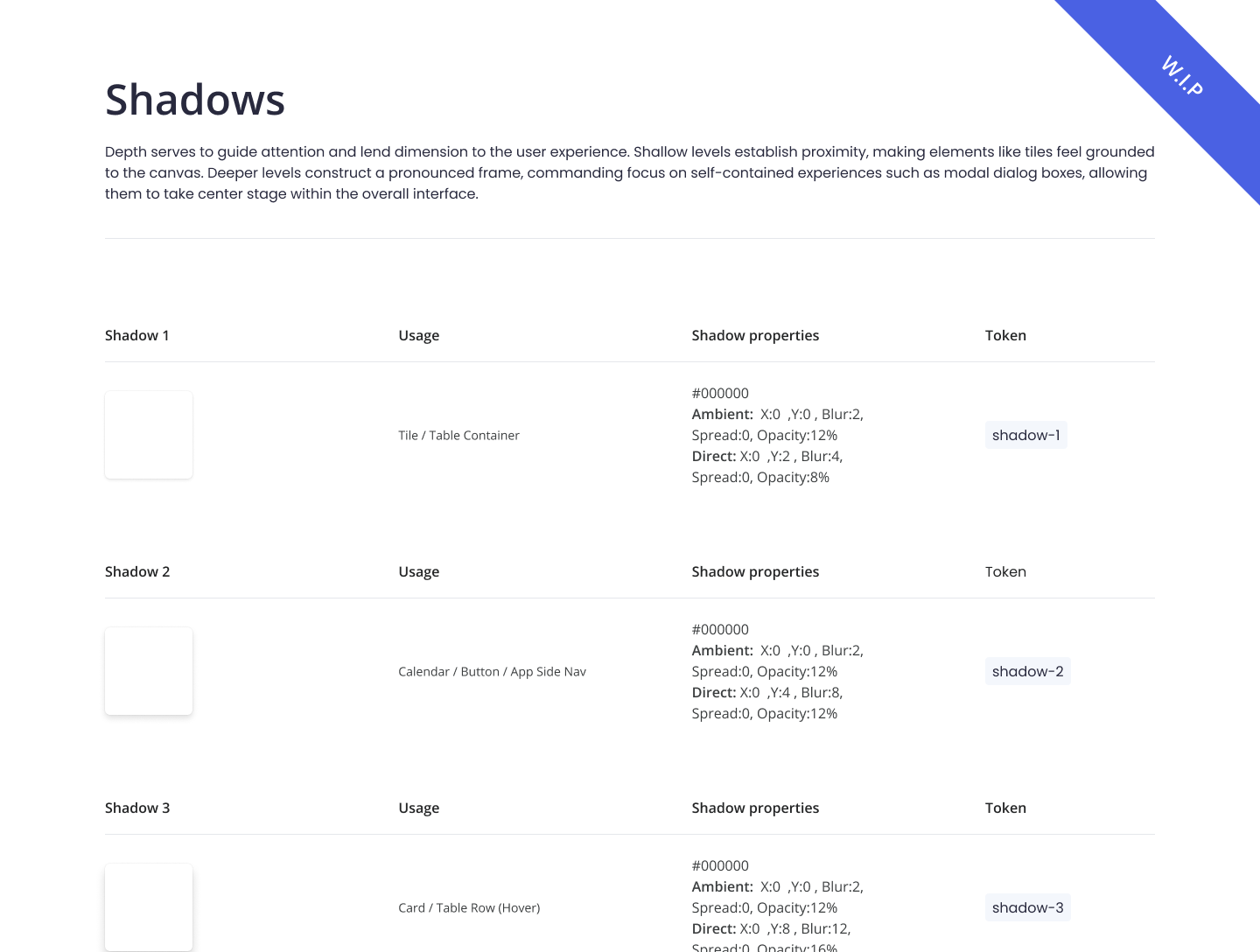
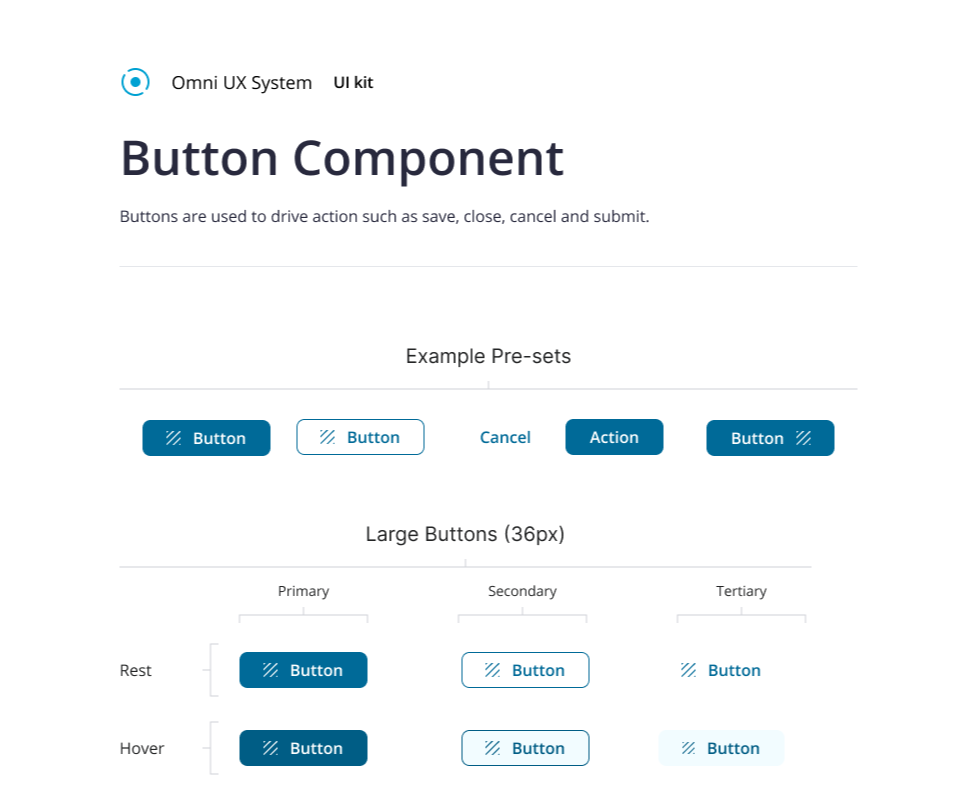
Because Omni had grown as a collection of separate tools, there was no single source of truth for UI patterns. As part of the redesign, I led the definition of a core component library that gave all product teams a shared foundation to build from. This reduced design inconsistency across tools and gave engineering clearer specs to implement against.